Sunday, October 30, 2011

0
Anonymous
Read more...
TB Simply - Drupal Template by Themebrain
TB Simply
 |
| TB Simply - Drupal Template by Themebrain |
TB Simply is a light weight Drupal theme that is based on Nucleus and shows a slick styling of some basic Drupal content types such as blog, poll, forum and a contact form.
It's a very great showcase of Nucleus base theme plus a minimalist styling and you can explore the many features coming with Nucleus inside TB Simply.
THEME FEATURES
Simple & clean design: Nucleus has a very powerful and flexible layout system. You can set global page width, choose between a fluid layout or fix 960 grid system and much more.
Supperfish menu: You can set the font for all main default elements from a list of font-families, google fonts or load your custom theme specific typography.
Easy to customize: Download and extract Nucleus theme. Then set your preferred Nucleus subtheme as default and save. Configure your basic settings and your ready to go.
Quicktabs: Subtheming is very easy to do with Nucleus. Just clone Nucleus Starter theme and all predefined features of Nucleus are already inbuilt. Just start customizing from here and save precious time.
0
Anonymous


Read more...
Scriptalici0us 77 PR0 SE0-SCRIPTS + CMS
Scriptalici0us 77 PR0 SE0-SCRIPTS
Scriptalicious SEO Scripts and SEO Scripts Pro combine 77 of the most popular and useful SEO scripts and Webmaster SEO tools in one package! Add 77 SEO scripts and SEO tools to your Web site in minutes.
SEO Scripts Standard
37 must-have SEO scripts for search engine optimizing.
- Link Analyzer
- Backlink Checker
- Search Engine Position Checker
- Search Engine Saturation Checker
- Fake Rank Checker
- No-Follow Finder
- Reciprocal Link Checker
- URL Shortener
- Link Suggestion Generator
- PageRank Checker
- PageHeat Checker
- Link Popularity Checker
- Alexa Traffic Rank Checker
- Multiple Keyword Search Engine Position
- Multiple Website Search Engine Position
- Multi-Rank Checker (PageRank and Alexa)
- Keyword Density Checker
- Keyword Suggestion Generator
- HTTP Header Extractor
- HTTP Header Viewer
- Meta Tag Extractor
- Meta-Tag Generator
- Source Code Viewer
- MD5 Encrypter
- HTML Encrypter
- HTML Optimizer
- Website Speed Test
- Domain Whois Retriever
- Site Spider Viewer
- Spider Viewer
- Search Engine Listing Preview
- Reverse IP/Look-up
- Ping Domain/IP
- Website Status Checker
- Browser Details Tool
- Send Anonymous Emails
- JavaScript Clock
SEO Scripts Pro
77 powerful SEO scripts. Adds 40 brand new tools to your SEO arsenal:
- Keyword Rich Domain Finder
- Link Extractor
- Keyword Extractor
- Twitter Links Finder
- Digg Links Checker
- Delicious Link Checker
- Bing Indexed Pages Checker
- Site Rank Checker
- Authority Link Checker
- .edu Backlink Checker
- .gov Backlink Checker
- DMOZ Backlink Checker
- Compete Ranking Checker
- Convert UNIX Timestamp
- Convert Date to Timestamp
- Email to Image Converter
- Alexa Multiple Rank Checker
- Multiple PageRank Checker
- Multiple Backlink Checker
- Robots.txt Checker
- Multiple PageHeat Checker
- Multiple Fake PageRank Checker
- Multiple .edu Backlink Checker
- Multiple .gov Backlink Checker
- Multiple DMOZ Backlink Checker
- Multiple IP Address Checker
- Multiple Reverse IP Lookup
- HTML Markup Validator
- CSS Validator
- Google Indexed Pages Checker
- Yahoo Indexed Pages Checker
- Multiple Compete Rank Checker
- Compete Statistics Checker
- MSN Live Indexed Pages Checker
- Multiple Compete Statistics Checker
- Multiple Digg Links Checker
- Multiple Delicious Link Checker
- Yahoo Directory Backlink Checker
- Webpage Size Checker
- Multiple Authority Link Checker
Tuesday, November 2, 2010
0
Tuesday, November 2, 2010
Anonymous
 Read more...
Retro Plain Blogger Template
I have been receiving mails from my readers on my next blogger template and besides my schedules I don’t want to disappoint them. Retro Plain is yet another simple personal template. This time I have used the default share buttons thats available in Blogger to make fasten the loading time and I hope you guys like piece of work.
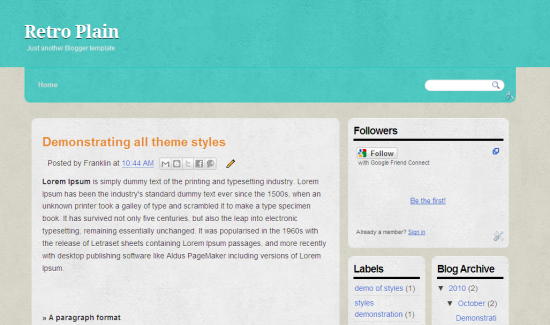
Template Specifications
- Three column
- Social sharing buttons
- Compatible with all the major browsers
- Dedicated page navigation bar
Suggestions are welcome, so drop in your thoughts about this template. You can check out my previous blogger template here
0
Anonymous


 Read more...
10 Free Phpbb3 Styles Thats Worth Of Giving A Try
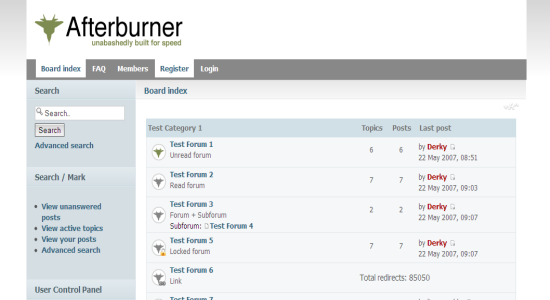
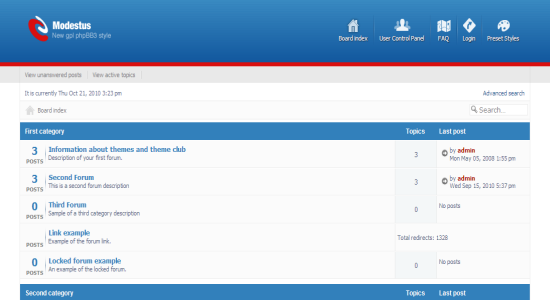
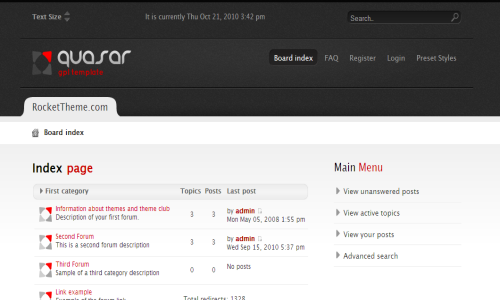
Phpbb3 is an open source forum management CMS that are widely used for forum management. Phpbb is simply the best in terms of its features that comes at free of cost and this the best alternative to vBulletin which is currently the best forum management CMS. So lets have a look at the 10 free Phpbb3 styles that you can give a try. All these listed themes are free to download from it supports Phpbb3 version 3.0.7.
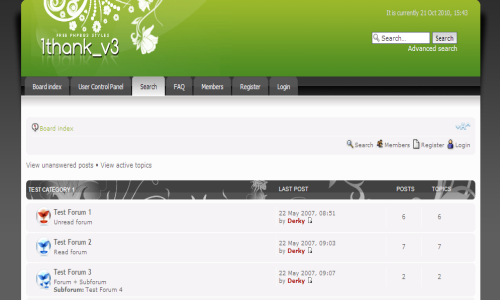
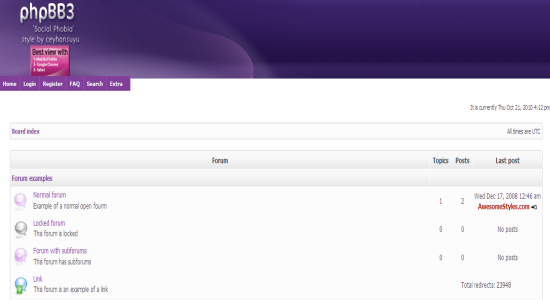
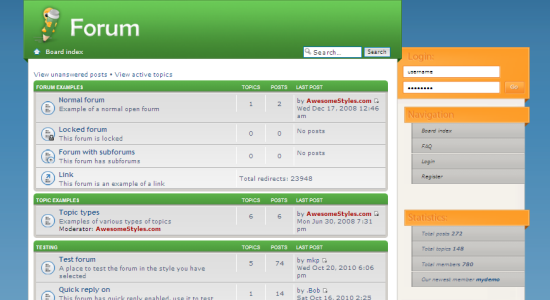
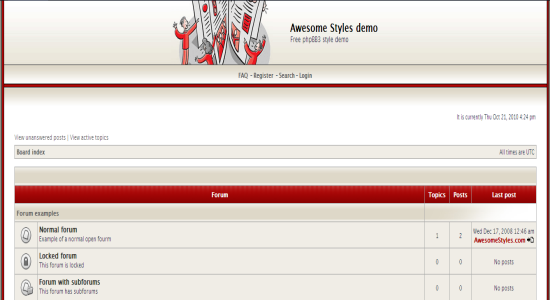
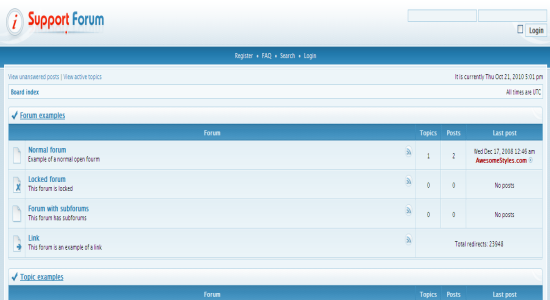
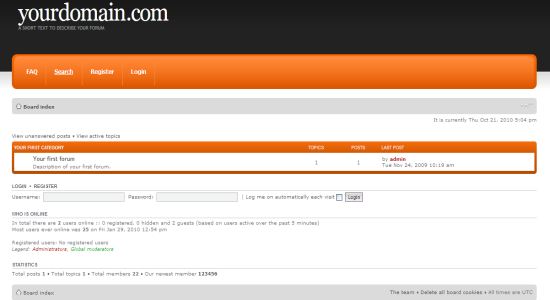
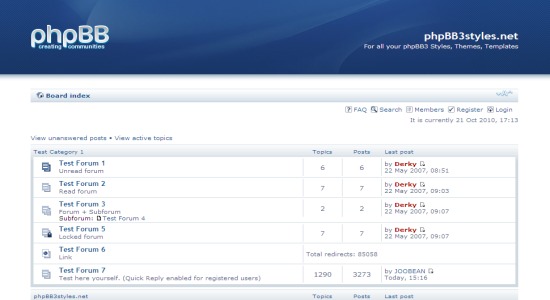
If you have found any decent looking Phpbb3 template, share it with us there.
0
Anonymous


Read more...
15 Tutorials That Helps To Create Custom Twitter Background
There are millions of Twitter users around the Globe and on that 15% use their profile for branding their product, blog, website, etc,. Basically when we try to promote our stuff, we do want to have a unique approach and it also implies to have a unique look for your Twitter profile. While we think of making a custom Twitter background, we have to keep things in mind that uniqueness always plays an important part and how does your design going to help promoting your product. In simple words, design a background that suits your profile. So here we are gonna look at 15 tutorials that will help you to create you own custom Twitter background.
If you aren’t much into design, don’t worry, these tutorials are so helpful to make a great Twitter background.
A great step by step tutorial to create a Twitter background using Photoshop. A must read article
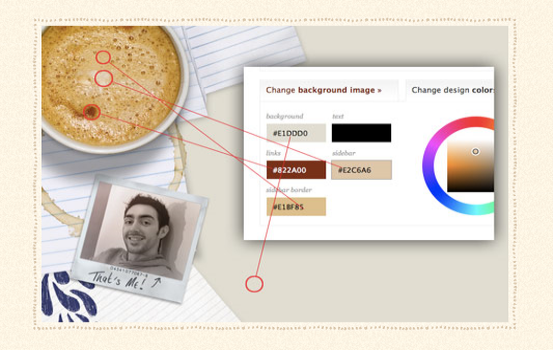
A very detailed tutorial on how to create a starfield tileable Twitter background using Photoshop. The explanations are really helpful even for design newbies to make their own.
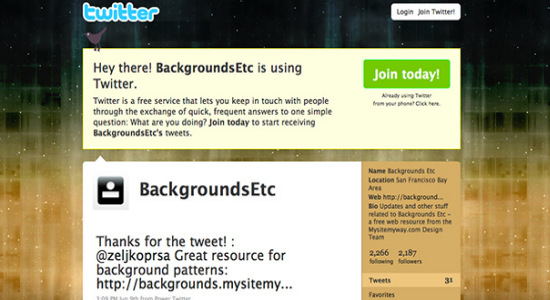
A video tutorial on to create using Adobe Illustrator, must check post guys.
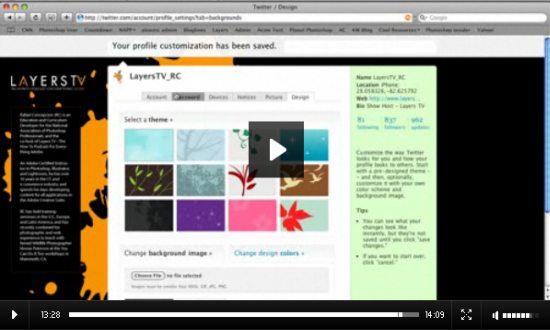
Don’t have Photoshop? Then try out this simple tutorial design a background using Powerpoint
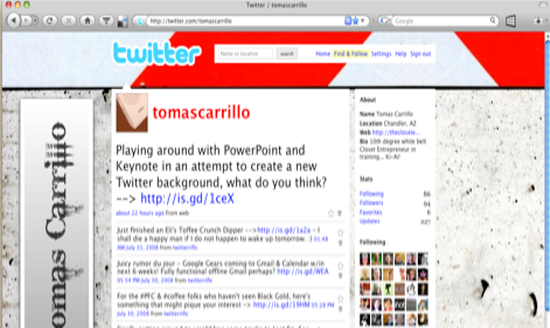
A very elaborate tutorial with images on creating a coffee flavored background.
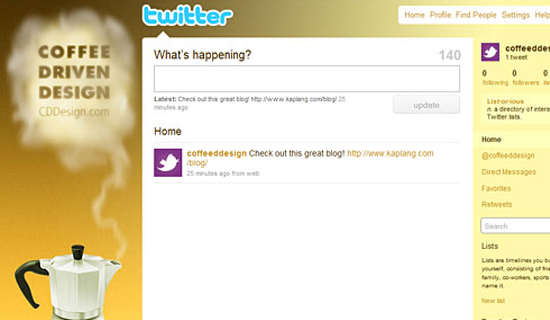
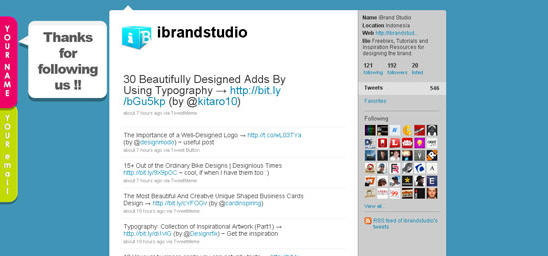
A very simple layout that accommodates tour name and your email address. Simple design but impressive.
As the template claims, this is a very simple tutorial for understanding the usage of the background
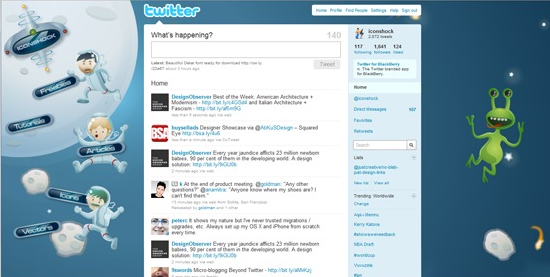
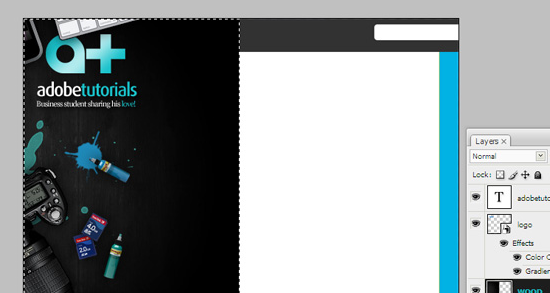
A clear shot tutorial on how to make a gorgeous design for your Twitter background. I just love the design.
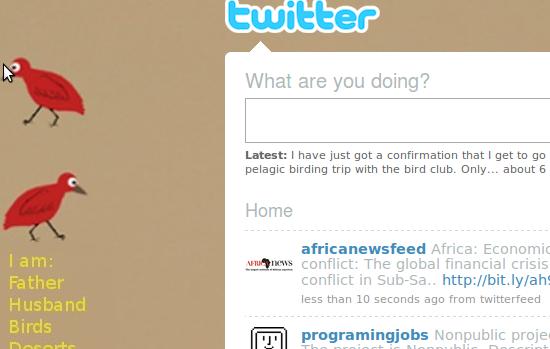
A very different approach in making a Twitter background using Gimp a free tool available for Linux, Windows and Mac
Twitter Background Tips
Now I think you got some knowledge on how to design, so I am taking you to some essential tips thats has be kept in mind while designing your Twitter background.
This post has a compilation of necessary tips for making an eye candy background design. A must read for designers.
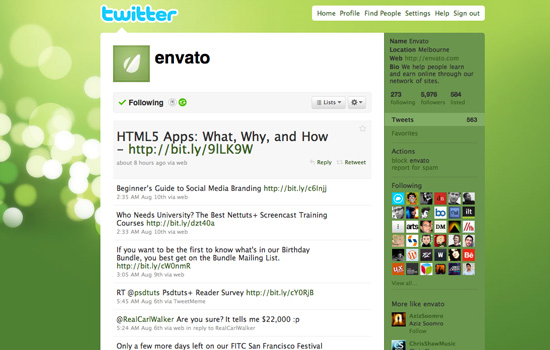
A comprehensive guide on the web to design a Twitter Background along with some great tips.
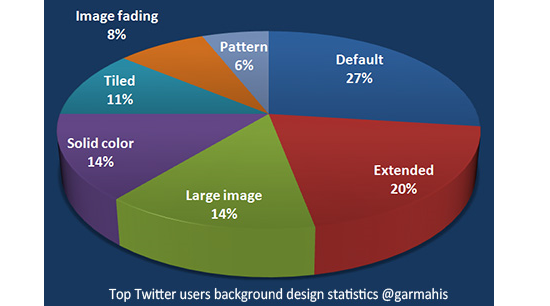
Yet another ultimate guide to master the Twitter background design. A very insightful article with cool examples.
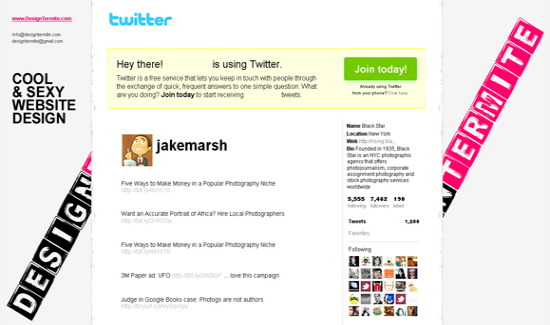
A very simple, yet interesting ideas that has to kept in mind while designing. An interesting read for me.
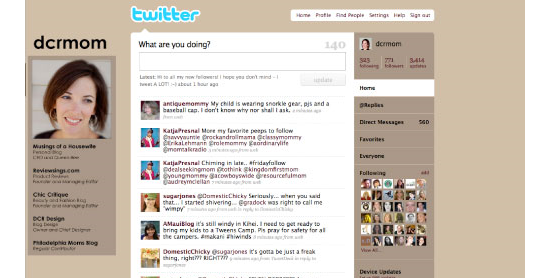
Video Tutorials
Lets move on to some video tutorials on creating a Twitter background
I hope this guide, help you to create your own custom Twitter Background. If you are looking for an unique professional design , we offer great service at an affordable price.
0
Anonymous

Live Demo | Download
Read more...
Modern Photography Blogger Template
Modern Photography is a fresh style Blogger template designed for the elite photographers to list out their photos using the cool slider. While making this design I was little conscious about the slider to highlight the photos in a pleasant way and finally I came out with this template. Except the slider, I have given a try for new colors comparing to my previous template and its optimized to load as faster as possible. I hope you guys once again enjoy my piece of work.
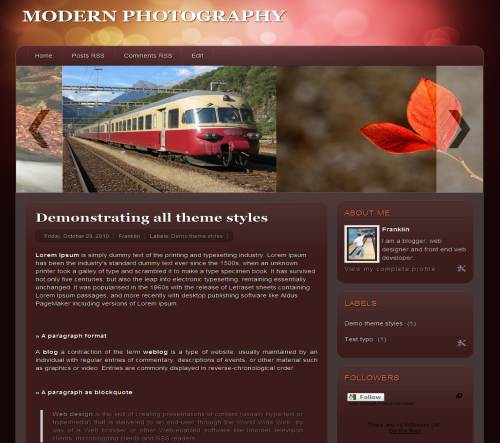
Template Specifications
- Fixed two column
- Cool Slider from Smoothdivscroll
- Three column footer at the bottom
- Default Blogger social sharing button
The template basically doesn’t require any customization, except you need to change the default images from the post. So to change it, go to Edit HTML and check Expand Widget Templates and search for <div class=’scrollableArea’> and replace the existing image links with yours.
If you still have any doubts, drop in your comments. Don’t forget to check out my Blogger Template.
Friday, October 22, 2010
0
Friday, October 22, 2010
Anonymous
 If you have an RSS feed for your website /blog, you can easily show the most recently published stories on your Facebook Page as well in a separate tab.


Read more...
How to Create Custom Facebook Pages
All the big brands like Coke, Starbucks, Nokia, and even Apple, maintain fan pages on Facebook that are “liked” by millions of people worldwide. These pages are designed professionally and have certain useful features.
For instance, the Apple iTunes page lets you search for apps right inside Facebook. In the case of Threadless, you can comment on your favorite T-Shirt designs without leaving Facebook while CNN has all the breaking news stories listed on its Facebook landing page.
How do they create such interesting Facebook pages? Do you really need to hire designers or skilled programmers who understand the ins-and-outs of Facebook APIs in order to build interactive and beautiful fan pages? Well, the answer is no.
Create a Customized Facebook Fan Page
As an example, see this customized Facebook page that includes a welcome page (also known as custom landing tab) for new visitors, presentations, a live RSS feed, videos and more. And it doesn’t take lot of effort to build such a page. Let’s see how:
Step 1: Assuming that you’ve already created a basic Facebook Page, open the Static FBML application and add it to your Facebook page.
Step 2: Go back to your Facebook Page, click the “Edit Page” link in the sidebar and again click “Edit” under the FBML section.
Step 3: This is your playground -- anything that you insert into this FBML text box will be visible on your Facebook Page. It accepts standard HTML tags so you may insert images, tables, paragraphs and more into your Facebook Page with simple markup.
Step 4: Now click “Edit” under Wall Settings and set the “Default Landing Tab for Everyone Else” to one of your new FBML boxes.
Feeling confused? The following video will walk you through the steps required to create a custom landing page on Facebook using Static FBML. You can add multiple FBML boxes to your Facebook page and they’ll show up as separate tabs.
Add Elements to your Facebook Page
Now that your basic Facebook Page with the Static FBML app is in place, here are some ideas / code-snippets that you may add to your Page:
1. A Better Landing Page
If you want to show a different landing page to fans and non-fans, use the visible-to-connection tag as in the following example.
Fans will see a link to download a PDF book while non-fans will see a welcome image. Remember that the width of this image should not exceed 520px.
    1: <fb:visible-to-connection>
    2: // This is visible to fans only
    3:  <h2>Welcome back!</h2>
    4:  <p>Please <a href="book.pdf">download</a> your gift</p>.
    5: <fb:else>
    6: // This is visible to people who are not fans yet
    7:  <img src="http://example.com/like-me.jpg">
    8: </fb:else>
    9: </fb:visible-to-connection>
2. Embed a YouTube Video
If you would like to embed a YouTube video into one of the tabs of your Facebook Page, copy-paste the following code into the FBML box.
Remember to replace ID_HERE with the actual ID of the YouTube video.
   1: <fb:swf swfsrc="http://www.youtube.com/v/ID_HERE"
   2:     imgsrc="http://img.youtube.com/vi/ID_HERE/default.jpg"
   3:     width="480" height="360" />
3. Add your RSS Feed
If you have an RSS feed for your website /blog, you can easily show the most recently published stories on your Facebook Page as well in a separate tab.Simply open RSS Feed for Pages and add the app to your Facebook Page.
4. Add a Comments Box
You can easily add a section on your Facebook Page where fans can leave their comments, ask you something or even talk to each other – see example.
   1: <fb:comments xid="user_comments" canpost="true" showform="true">
   2:  <fb:title>Leave a Comment!</fb:title>
   3: </fb:comments>
5. Add Forms and Dialog Boxes
The semi-transparent pop-up dialogs are unique to Facebook and you can easily bring them to your Facebook pages with a simple snippet.
For instance, the following code, when added to your FBML box, will create an “About Us” link on your Facebook Page. When people click on the link, they’ll be shown a dialog as in the above screenshot.
You may also insert HTML forms in Facebook dialogs to collect user preference or even for email based newsletter subscriptions.
1: <fb:dialog id="dialog" cancel_button=1>
2:  <fb:dialog-title>About Us</fb:dialog-title>
3:  <fb:dialog-content>Digital Inspiration is a technology blog.
4:           Would you like to learn more?</fb:dialog-content>
5: <fb:dialog-button type="button" value="Yes" href="http://labnol.org" />
6: </fb:dialog>
7: <a href="#" clicktoshowdialog="dialog">Click here</a> to learn more.
6. Embed a Slideshare Presentation
Like your YouTube video clips, you can easily add any of your Slideshare slideshows to your Facebook Pages using the fb:swf tag. Here’s an example:
   1: <fb:swf swfsrc='http://slideshare.net/swf/ssplayer2.swf?doc=ID_HERE'
   2:           width='515' height='425' imgsrc="thumbnail.jpg" />
Replace thumbnail.jpg with the URL of the actual thumbnail image of your presentation.
7. Add a Chat Room
You can use your Facebook page to chat with your fans live while they are on your page. To get started, simply create a Flash based chat widget for your Facebook page using MeeboMe and then embed it into your Facebook FBML box using the code below:
   1: <fb:swf swfsrc='http://widget.meebo.com/mm.swf?ID_HERE'
   2:           width='515' height='425' imgsrc="chat-thumbnail.jpg" />
Replace ID_HERE with the ID of the chat widget supplied to you by MeeboMe. This will let you chat with your Facebook fans but they won’t be able to chat with each other.
8. Add Podcasts and other MP3 Audio
Facebook makes it extremely easy for you to embed MP3 audio files in Facebook Pages. You need to host them online (see options) and Facebook will wrap them in their own player as show in the above animation.
To add an MP3, use the following code.
   1: <fb:mp3 src="http://example.com/podcast.mp3"
   2:   title="Episode 12" artist="This Week in Facebook" />
You may also use custom MP3 players but then you’ll have to rely on the fb:swf tag.
9. Add Polls to your Facebook Page
While there are quite a few Facebook apps for polls, I prefer a solution that would let people vote directly without requiring them to add the Facebook App to their profile.
So here’s a simple workaround. PollDaddy, which is one of the best polling software around, offers a Flash based widget for embedding polls in websites. You can grab their widget code and insert it into your Facebook Page via FBML as shown here:
   1: <fb:swf swfsrc='http://i.polldaddy.com/poll.swf?p=ID_HERE'
   2:           width='250' height='500' imgsrc="poll-thumbnail.jpg" />
Now fans of your Facebook page will be able to vote with a click. Do replace the ID_HERE with your own Poll ID.
10. Surprise your fans
A lesser-known but very interesting feature of Facebook Pages is that you can randomize content with the help of FBML (visit this page and hit F5 to see it in action).
The idea is that you create multiple blocks of content and show them randomly to your visitors. For instance, the following code will pick one random image from the available pool and, if you put this code on the landing page, your visitors will probably see something new and refreshing on every visit.
   1: <fb:random pick="1">
       2:   <fb:random-option>
       3:     <img src="http://example.com/image-1.jpg" />
       4:   </fb:random-option>
       5:   <fb:random-option>
       6:     <img src="http://example.com/image-2.jpg" />
       7:   </fb:random-option>
       8:   <fb:random-option>
       9:     <img src="http://example.com/image-3.jpg" />
      10:   </fb:random-option>
      11:   <fb:random-option>
      12:     <img src="http://example.com/image-4.jpg" />
      13:   </fb:random-option>
      14:   <fb:random-option>
      15:     <img src="http://example.com/image-5.jpg" />
      16:   </fb:random-option>
      17: </fb:random>
You can extend this idea to showcase your popular content in a self-rotating manner.
0
Anonymous

 Read more...
Submit a Complete Sitemap of your Blogger Blog to Google for Better Indexing
Sitemaps, in simple English, are text files (see example) containing a list of all web pages that exist on your site. It is important that you create a comprehensive sitemap as it will help Google and other search engines crawl your site better and that might mean more traffic coming your way in the long run.
The Problem with Blogger Sitemap Files
Ideally, the sitemap file should contain all URLs of a site but if your blog is hosted on blogspot.com (or if you are using a self-hosted version of Blogger with a custom domain), you’ll be surprised to know that the default sitemap file (see example) contains only the 26 most recent pages of your blog.
That’s a bad thing because some of your older blog pages, that are missing from the system-generated sitemap file, may never get indexed in search engines. There’s however a simple solution to fix this problem.
Generate a Complete Sitemap for your Blogger Blog
Step 1: If you haven’t done this already, sign-in to your Google Webmasters account and add your blog. For details, check this video tutorial on how to add a blog to Google.
Step 2: Once your blog is added to Google, open the Sitemap Generator and type the full address of your blogspot blog (or your self-hosted Blogger blog).
Step 3: What you get is list of sitemap files that contain each and every page of your blog. You now just have to ping Google, Yahoo and Bing to inform them about these XML sitemaps.
As shown in the video screencast below, you need to manually add each of the sitemap files into your Google Webmaster Tools dashboard but for Bing or Yahoo, you can simply click blue hyperlinks and these search engines will automatically download the relevant sitemap files from your blogspot site.
Once all the Sitemaps are added, your Google Dashboard should look something like this.
If you see a red cross or an orange exclamation symbol instead of the green tick, that means something is wrong with your XML sitemap. Verify that the file exists by typing the sitemap URL in your browser.
Sometimes media enclosures (like MP3 files) in blog posts can create warnings during sitemap submission. And if you have switched from Blogger to WordPress, it still makes sense to submit sitemaps of your old Blogspot blog as that will only help search engines discover your new WordPress pages. Good luck
Subscribe to:
Posts (Atom)


