Showing posts with label WordPress Plugin. Show all posts
Showing posts with label WordPress Plugin. Show all posts
Sunday, October 30, 2011
0
Sunday, October 30, 2011
Anonymous

Read more...
WP Pic Tagger – WordPress plugin for Image Tagger
WP Pic Tagger allows you to tag, caption, annotate pictures and images on your WordPress blog by selecting a region of the image and add names, URLs and descriptions.
Installation:
- Download the plugin fromhttp://downloads.wordpress.org/plugin/wp-pic-tagger.zip
- Unzip the archive ‘wp-pictagger.zip’ to a local folder on your computer.
- Upload the folder ‘wp-pictagger’ and its contents to your blog’s plugin folder (root/wp-content/plugins) using FTP.
- Login to your WordPress admin panel and browse to the Plugins section
- Activate the WP Pic Tagger plugin.
How to use this plugin ?
To tag an image, you need to assign the class “wp-tag-people-abc” or “wp-tag-objects-xyz” to your images through your blog’s HTML editor. ‘abc’ and ‘xyz’ must be unique strings of text to identify an image. Simply use the ‘Tag People’ or ‘Tag Objects’ buttons found in the editor to easily insert these tags.
To tag people, click the ‘Tag People’ button.
This type of tag allows you to insert names of people and their website or blog URLs. The URL field may be left empty. If you wish to tag objects, click the ‘Tag Objects’ button. This tag allows you to add only textual notes or descriptions.
0
Anonymous
 Read more...
Tweet Old Posts – WordPress Plugin to tweet your older posts
Tweet Old Posts is a plugin designed to tweet your older posts to get more traffic. It is created by Ajay Matharu. Tweet Old Posts randomly picks your older post based on the interval specified by you. The primary function of this plugin is to promote older blog posts by tweeting about them and getting more traffic.
0
Anonymous
 Read more...
The WordPress Bar – WordPress Plugin like DiggBar on Digg
The WordPress Bar is a Plugin for WordPress that adds similar functionality as Digg’s Diggbar to your blog by creating a navigation bar for all external links outside of blog.
Features:
- Feature a “DiggBar like” to all external links
- Whitelist domains that you do not want to apply The WordPress Bar
- Give your users up to 16 social network sharing links
- Title and Logo branding options for your The WordPress Bar
- Multiple The WordPress Bar color options
- Track stats for how often featured links are viewed by your users
- “As Featured In…”
- Easy Short Link Creation
- Custom Link Identifiers
0
Anonymous
 Read more...
Facebook Pages Viewer
Facebook Pages Viewer | wordpress plugins
This item enables you to display any Facebook page inside your own website. It comes with a Facebook connect functionality that enables you users to connect with their Facebook account, and be able to display their own Facebook pages. This application also provides a mechanism to showcase any of you chosen Facebook pages, without the need of any user to connect to be able to view it.
Features:
- Facebook connect functionality.
- You can integrate and display any Facebook page.
- Connected users can view their own Facebook pages.
- Pages timeline and comments supported.
- Powered by jQuery and AJAX technology.
- Like button integrated on each page.
- Very clean and organised source code.
Possible uses:
- Showcase your favorite Facebook pages.
- Let your visitors view their Facebook pages.
- Use it as a base for a larger project.
- Use it to drive more Fans to your pages!
- And more...
Password: smallsharing.com
0
Anonymous
Read more...
WP Lapdance Latest 2.7 Version
Starting Today, You Can Pull As Much Cash As You Want Out Of Your Wordpress Sites Within Minutes Of Downloading The WP LapDance Plug-in...
 |
| WP Lapdance Latest 2.7 Version |
Is The WP LapDance Plug-in Easy To Use? You Bet! Just 3 Easy Steps To Get Started!
- Install the plugin just like any other Wordpress plugin - Point and click... It's so easy a 6 year-old could do it!
- Decide whether you want to have text, an image, a clickable image, or even a video as your pop-up message... No more plain grey pop-up boxes (unless you want one). With WP Lapdance, you can insert whatever you like into your pop-up message using HTML.
- Save your selection and WP LapDance goes to work making you money right away!
So, What's So Great About WP LapDance? Haven't Exit Pop-Ups Been Around For A Long Time?
- WP LapDance is NOT just a boring grey box like most exit pop-up scripts (of course, you can use the grey box exit pop-up if you want...)
- You can also choose to insert images, clickable images, and even VIDEOS into your exit pop-up box! (This is revolutionary technology that's seen nowhere else!)
- WP LapDance is easy-to-use... You simply point and click to configure the plug-in
- WP LapDance does NOT interfere with your user's experience and it's only activated when someone goes to leave your Worpress site. Simple navigation within your Wordpress website will NOT trigger the exit pop-up. This prevents you from irritating your visitors or preventing them from enjoying and interacting with the content on your website.
- This plug-in was specifically created for Wordpress sites unlike all the other exit pop-up scripts that are made for single action sites like squeeze pages or sales letters... Installation is quick and painless just like any other Worpress plug-in
- WP LapDance is virtually unblockable which means EVERYONE that leaves your site will get to see your exit pop-up... This mean more sales and opt-ins which equals CASH in the bank!
Wednesday, October 20, 2010
0
Wednesday, October 20, 2010
Anonymous

Live Demo | Buy
Before I could take in depth about the plugin, let me say about its features.


 Read more...
Wp Answers convert your wordpress blog into qa website
As a blogger, we all look to have forums, groups and so on. To be frank we might have used forums, but posting an question there, isn’t that easy for an normal user and this really annoys. However we all love simple way of asking question and getting a reply for that. So how about setting a Question & Answer service on your blog? Well, WP-Answers is there to help to setup a Q&A service on your WordPress blog. WP-Answers is a wonderful plugin that doesn’t need you to be a WordPress expert, all you require is some basic knowledge to install the plugin.
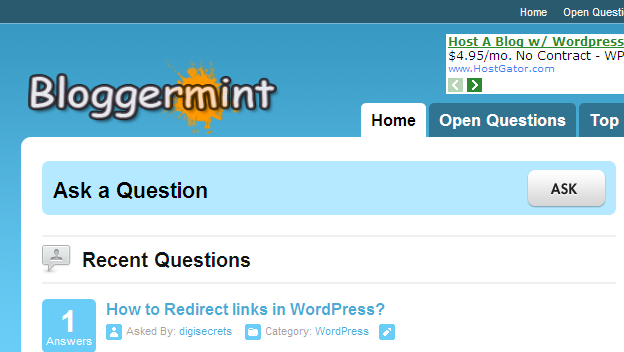
Before I could take in depth about the plugin, let me say about its features.
- Question & Answers System
- Points System
- Profile Pages
- Automatic Content from Yahoo Answers
- Auto Updating
- Customize Content to your Niche
- Full Advertising Management
- 6 Optimised themes Included
Here we get in the detailed features offered by Wp-Answers
Question & Answer System
As I said initially Wp-Answers transforms your WordPress blog into an answering service. So who all can answer? To answer or raise questions, the users requires to create an account within your blog. Once they register an account, they will be provided with a profile page, where they can add their info (including their blog or website address) and upload an avatar to their profile.
Points System
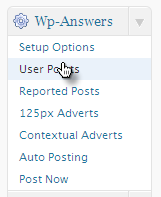
Another great concept within the plugin is the point system. Using points system, users gain points when they ask question and also they receive points if answers any question. So this system obviously entertains the users to make more conversation with the service and the most active users will be included in the Top User category.
The best part, we have the full control to change the points give per answered question or the answer.

Profile Pages
Profile pages gives a short information about the registered users including their interest, website URL (dofollow link). So indirectly active users gain a good reputation for their blog.

Automatic Content from Yahoo Answers
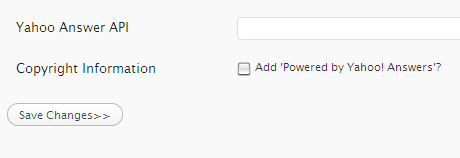
Using this feature, we can import content right from Yahoo answers with your Yahoo Answers API. With the imported question, users can reply answers to it. Cool isn’t it?
Auto Posting Campaign
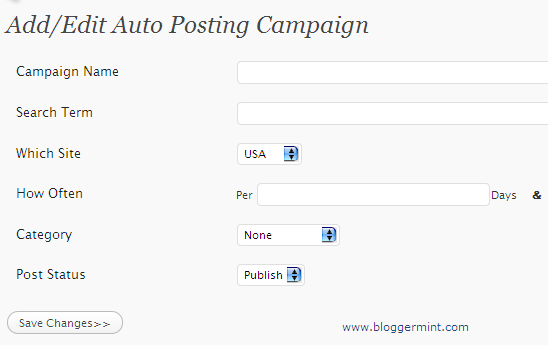
The auto posting relates to the Yahoo Answers API, where using this feature, we can set search term, category and the Yahoo Answers region (US, UK and Canada) to fetch and publish the question on your blog. You can even decide the how often your content needs to be pulled from Yahoo Answers.
Advertising Management
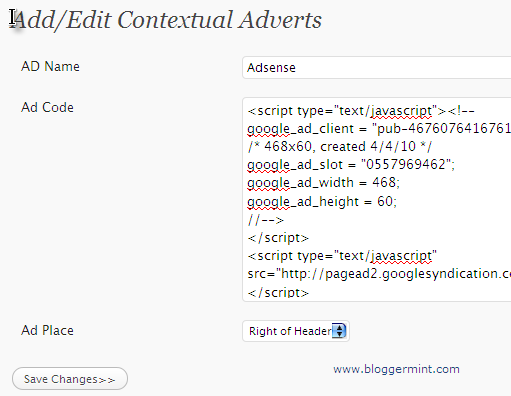
Advertisement is quite essential for every blogger to manage the expenses incurred in running the blog. Wp-Answers offers good advertising options such as Contextual ads and 125×125 ad banners. The implementation of ads is very simple and all it requires your ad code to be inserted in the option menu.
6 Themes Included
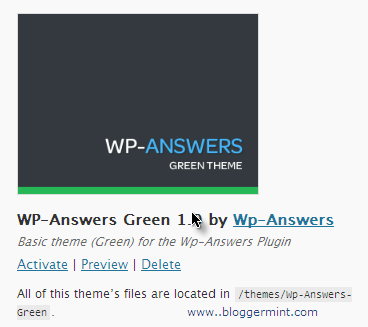
Buy purchasing this plugin, you get six free optimized theme within the package. All those 6 themes are full widgedized to accommodate appropriate widgets that comes with the plugin. The developers has also announced to release more themes for the plugin in the future. So you won’t require to create a template to use this plugin.
So will all these feature, Wp-Answers looks to be the great plugin to convert your WordPress blog into a question & answer website. Believe it all not, you can get all these features at a price tag of $89 (Single License) $179 (Multi-Site License). All I can say, the plugin really worth the money you pay. Finally after my personal experience I loved this plugin and found it very useful for using it as an alternative to forums. You can check out Ask Bloggermint powered by Wp-Answers here.
Subscribe to:
Posts (Atom)


